Appendices
You will have better undestading for some term used in Admin System
In this page
Binary Plan
In a binary plan, you are allow to add new node into left or right sub-tree also known as(leg). When you have successfully recruit more than two people, you can spillover the rest of nodes into next available node. For example member A has left (member B) and right (member C) sub-tree and new addition member will placed underneath of member B:
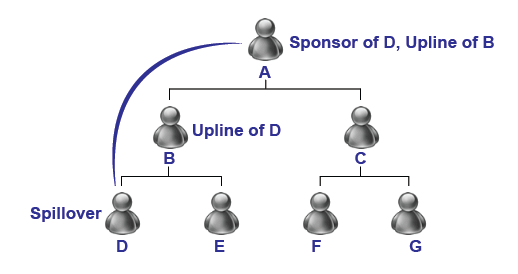 In this case, member D's sponsor is member A and upline is member B.
Unilevel Plan
In a unilevel plan, there is no limit on your front line that you can sponsor. All the member in the same level would receive the same bonus point.
 In this case, member A has sponsors his front line members B, C, D, E, ∞. The members B, C, D... are free to sponsor as many members as they want.
Quick Links
Quick links button allow you to go to the page in a quick way.
To add quick links:
-
Click on Main Menu button .
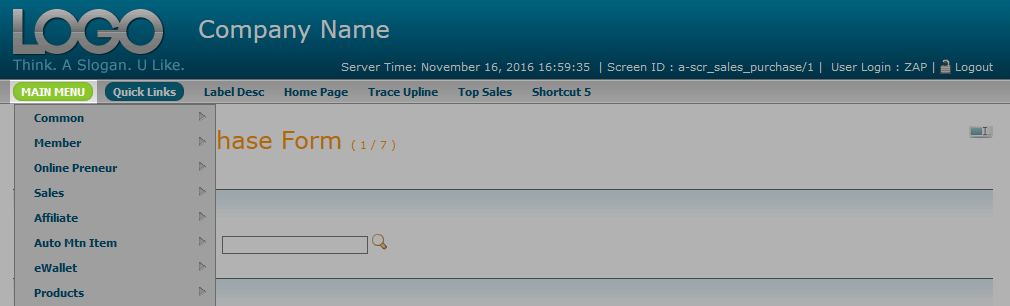
-
Mouse hover to vertical ellipsis icon in last sub menu, you will see the mouse cursor change to crosshair icon: click and hold to drag the whole button and then drop it to Quick Links button.
The link you have drag and drop will be inside Quick Links dropdown.
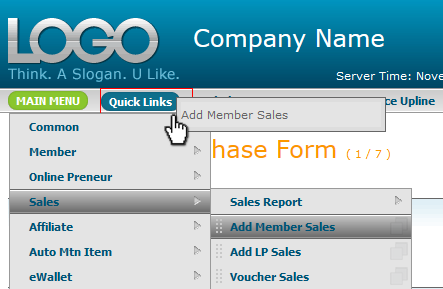 To clear links inside Quick Links you can drag the link and drop outside from the dropdown.

-
You can also drag and drop the links from Main Menu to Shortcut links as a quick link.

Edit Or Translate Label
You are allow to edit/translate a label in a page.
To edit/translate label:
- Click on Translate icon on the top right of the page.
-
Type in your desired label in the input field and click Save button to update them.
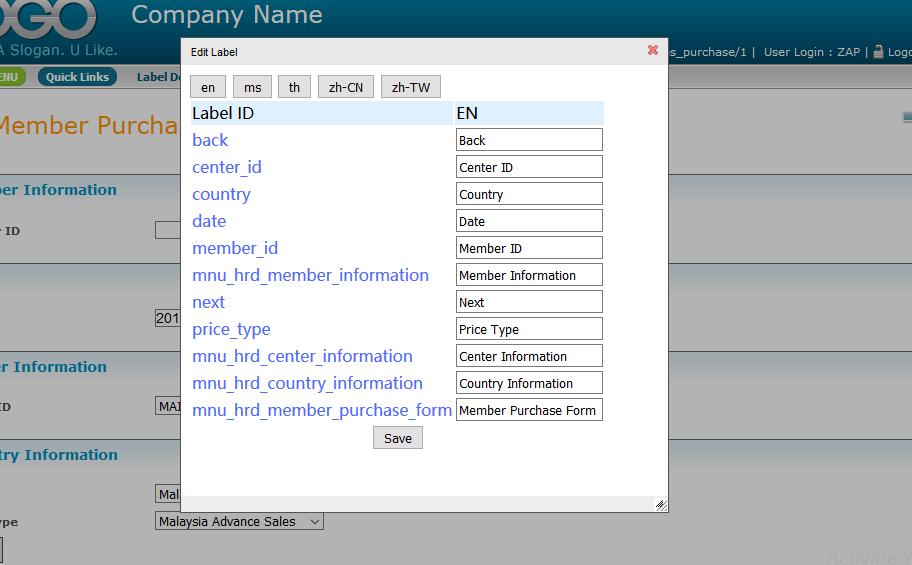
-
You can also click on Language button to translate the label to other language.
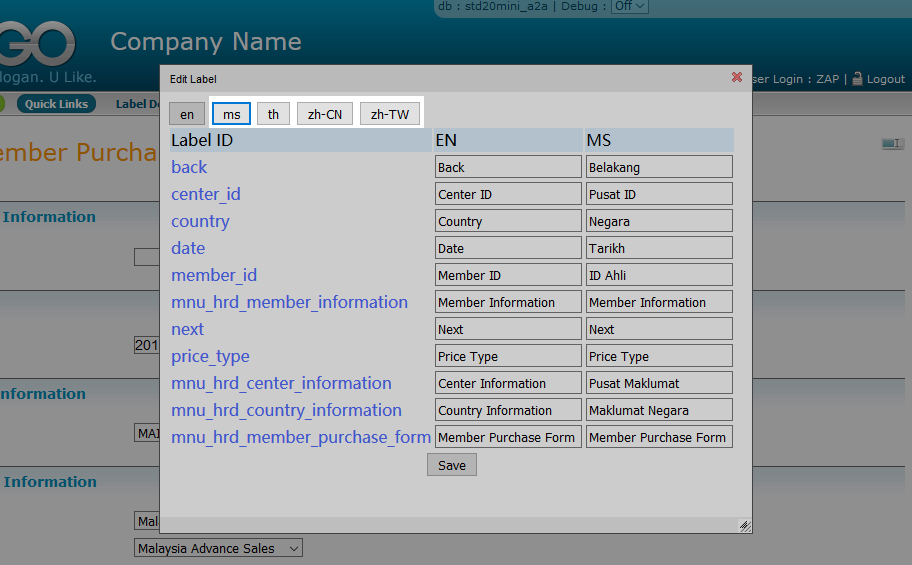 System will automatically add one column beside, so you can compare between the translations. Toggle the language button again to close/open translate field.
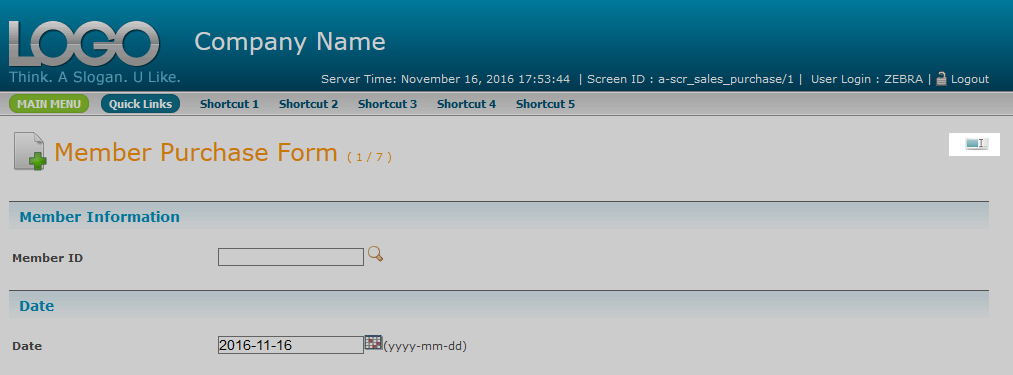 All label from the page will appear in this list.